

Create your profile
Fill in our form with your practice's information. One of our experts will contact you to understand your needs and show you how Doctena can support your workflow in a short, personalized demo.
STEP 1
Online Agenda, Patient Portal and smart voice assistant - everything your practice needs, fully integrated.
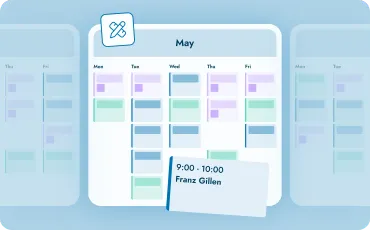
ONLINE AGENDA
The most customizable medical agenda on the market. Set appointment types, durations, availability and booking rules to fit your practice - not the other way around.
Define your own appointment types, durations, booking rules and availability - per practitioner, per location, per consultation reason. You can restrict which slots are bookable online, require pre-approval for certain visit types, and set different rules for new and returning patients.
Patients receive automatic SMS and email reminders before their appointment, cutting no-shows by up to 70%. Cancelled slots surface automatically to patients on the waiting list. Last-minute availability can be promoted directly to patients searching for "available today".
Doctena connects with the most common EMR and practice management systems, so your billing, patient records and agenda stay in sync without manual transfer. If you're switching from another system, our onboarding team supports you with the migration.
Your team manages the agenda from desktop or tablet in the clinic. You check your schedule from your phone between consultations. The Doctena Pro mobile app gives you your full agenda on the go, with the same data always in sync.
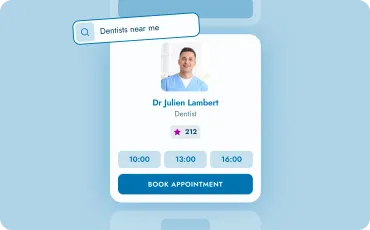
PATIENT PORTAL
One of the most used healthcare platforms in the Netherlands - your profile is visible where patients are already searching. Across all markets, Doctena's Patient Portal attracts over 850,000 visits every month.
Patients search for you by specialty, location and language - on Doctena or directly via a booking widget on your own website. No account required to book. Last-minute cancellations resurface automatically to nearby patients searching for "available today".
After each visit, patients can leave a review on your Doctena profile. Reviews improve your visibility on Doctena's search results and on Google. The more bookings, the stronger your profile - with no extra effort on your end.
Doctena Boost is an optional add-on managed by Doctena's marketing team. Get a personalized visibility plan including social media promotion, own website creation and Doctena profile optimization. Ask your Account Manager for details.

DOCTENA VIRTUAL ASSISTANT
Doctena Virtual Assistant is a smart voice agent built for medical practices. It picks up every call, books appointments in real time and works around the clock - fully integrated with your Doctena agenda.
Up to 80% of incoming calls are handled by DVA - including evenings, weekends and holidays. Your team only steps in when a human is genuinely needed, freeing your front desk for in-clinic patients.
DVA answers incoming calls and books appointments directly into your agenda in real time. It also handles common questions such as opening hours or preparation instructions, based on the information you define, reducing interruptions for your team.
DVA is fully integrated with your Doctena agenda and follows your availability in real time. It operates according to your settings and workflows, ensuring that every booking and every answer reflects how your practice works. It automatically adapts to the caller's language and provides a natural, professional patient experience.
trusted by practitioners
“As I work at several locations, Doctena is the ideal solution for managing my appointments. Patients can easily choose the location that suits them best, and video consultations are very convenient for my international patients.”
“The Doctena Boost campaign has significantly increased the online visibility of our clinic. We’ve noticed a clear rise in new patient bookings through the platform. The team has been very supportive, making the whole experience seamless and effective.”
“I have had Doctena since I started my new practice, and thanks to the Doctena booking portal I already had 8 new bookings for my first day working as a dentist in my new practice.”
“Doctena has allowed me to keep my schedule consistently full while also saving time. After experiencing the benefits Doctena offers, I quickly left my old online booking system and started using this one.”

